Maple is shutting down. Here's how to move your family before December 31
Maple has been acquired by Wander and will close every account on December 31, 2026, deleting all data. This guide covers what to save, and how to set your family up in rumaloom in one evening.
What Maple has announced
According to the notice on growmaple.com, Maple has been acquired by Wander and will sunset on December 31, 2026. Until then your account and data stay accessible. After that date the account is closed, all data is deleted, and Maple says there will be no way to recover it.
The shutdown also ends Maple's connections to Google Calendar, Apple Calendar, Outlook and TeamSnap. Annual Maple subscriptions will not renew, and monthly subscriptions stay active until December 31.
Maple recommends exporting your data before the shutdown, but its notice doesn't give export steps or an export tool. Some families have reported seeing an earlier date inside the app, so don't leave this until the last week of December.
Save these before December 31 (about 30 minutes)
Without an export button, the safest approach is to write down or screenshot anything you'd hate to lose. Don't delete the Maple app until you're done. You may not be able to reinstall it.
- Events created inside Maple, especially recurring ones like school pickups, lessons and bin day. Events that came from Google or Apple Calendar stay safe in those calendars.
- Chores and to-dos, and who each one belongs to
- Shopping lists, packing lists and shared notes
- Recipes and your usual weekly meal plan
- Anything that arrives in Maple's family inbox, such as school or club emails. Point those emails back to a real address before it closes.
- Your subscription: check whether you're on a monthly plan that is still billing
Where each Maple feature lives in rumaloom
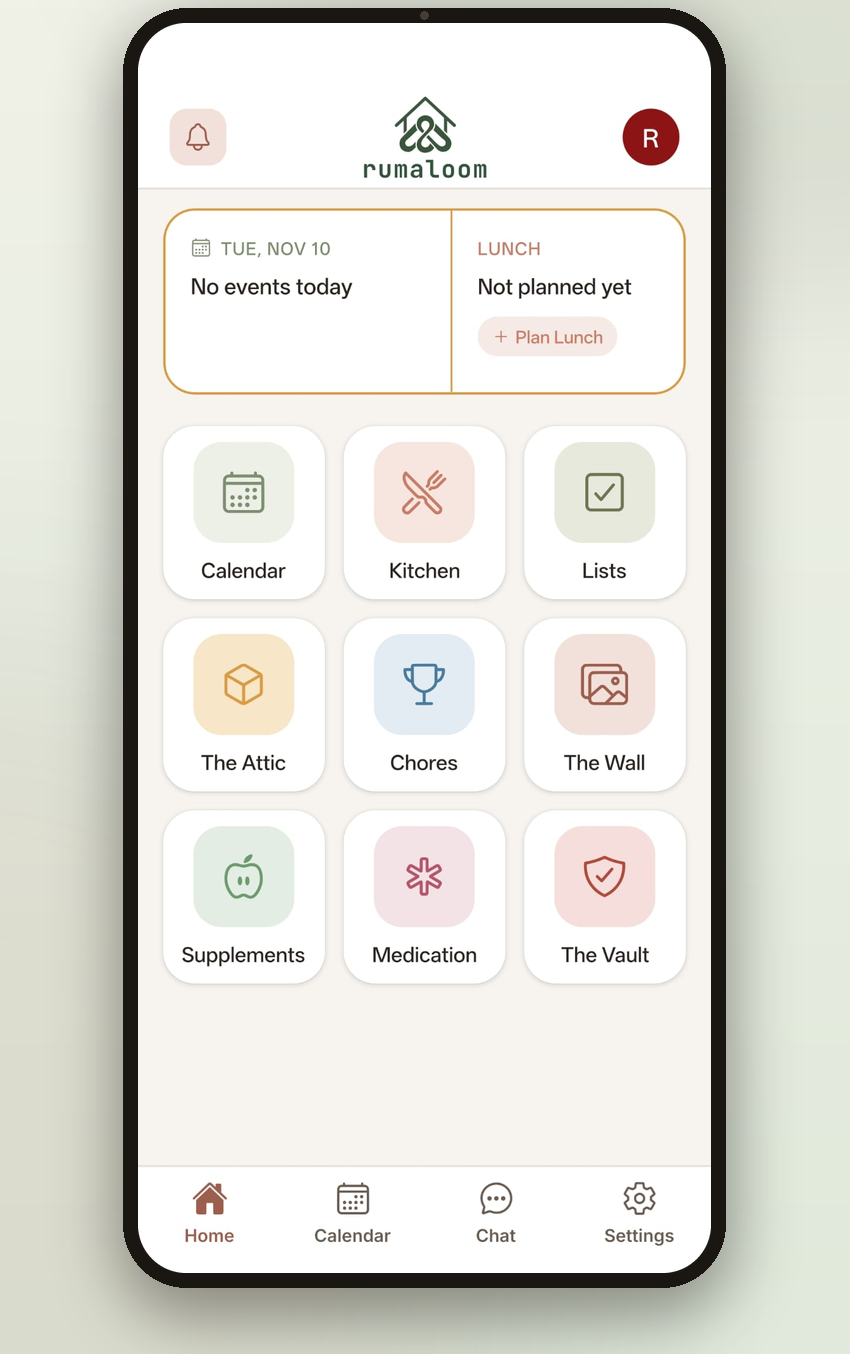
rumaloom is a family organizer built as a house with a room for each job, all shared with your family group. Most of what families used Maple for has a direct home:
- Shared calendar → Calendar, which syncs with the Google or Apple calendar you already use
- Adding events from an email or text → paste it into the Calendar and the date, time and details are filled in for you
- To-dos, lists and notes → Lists: shared checklists and notes that update in real time
- Chore tracker → Chores, with rotation, photo proof, parent approval and optional points or pocket-money rewards
- Meal planner and grocery list → the Kitchen: a weekly meal plan, a shared cookbook, recipe ideas and a grocery list
- Family messages → Family Chat and The Wall, private to your household
What rumaloom doesn't do
To save you a surprise later: rumaloom can't import Maple data directly, it doesn't sync with Outlook or TeamSnap, and it doesn't have a family email inbox. If your family relied heavily on any of those, factor that into your choice.
rumaloom also covers things Maple didn't: The Vault for insurance, IDs and emergency contacts behind an optional Face ID or fingerprint lock, medication and supplement tracking, and The Attic for keeping track of what's packed away.
Move your family over in one evening
Families who switch successfully do it all at once rather than running two apps side by side. A practical order:
- Create your family in rumaloom and send the invite link to everyone. It opens straight into the join screen.
- Connect your Google or Apple calendar so everything already there appears straight away
- Re-add the recurring events you saved from Maple
- Set up this week's chores and assign them
- Recreate your main shopping list and next week's meal plan
- Tell the family the date you're switching, and stop using Maple for new things after that
Free to start, priced per family
The free plan includes the Calendar, Family Chat, The Wall, Lists, Chores and the Kitchen for up to five family members, supported by ads. Paid plans remove the ads and add The Vault, Medication and Supplements, with room for a bigger household.
One subscription covers everyone in the house, priced per family rather than per person.